Pular para o conteúdo

Step-by-step guide

How to Make a Knight Cat AI Video

Uma ou duas fotos · Vídeo completo comprado separadamente · 10–30 segundos

Modo de criação
Adicione uma foto nítida

Envie uma foto nítida de uma pessoa ou animal para criar um cavaleiro solitário com armadura e uma grande espada. O rosto deve estar visível; mínimo de 240 × 240 pixels.

Verificando seu saldo de vídeo…

Pagamento único · A geração começa após o pagamento

Usa 17 créditos · Desconto antecipado, devolução em caso de falha

Ao criar, você confirma que tem permissão para usar todas as fotos enviadas. Termos de Serviço

Exemplos reais gerados com IA

Suas fotos. Sua história de cavaleiros.

Escolha Uma foto para um pequeno cavaleiro sozinho, ou Duas fotos para adicionar um grande protetor. Em Duas fotos, a foto 1 é o cavaleiro e a foto 2 o protetor; as duas são necessárias. Uma pessoa ou animal por foto.

Também funciona com pets

Dois gatos, você e seu cão, ou um pet e um familiar.

Explore os duos com pets →
Vídeo gerado · Reproduzir com som · Exemplos reais gerados com IA
01

Uma foto · Impassível no vento

10 segundos · 720P · Vertical · Feito com este gerador

Uma foto, um clipe de 10 segundos: o filhote fica impassível de armadura completa enquanto o vento agita a capa e a grama. A foto de exemplo foi gerada por IA.

Ver este exemplo
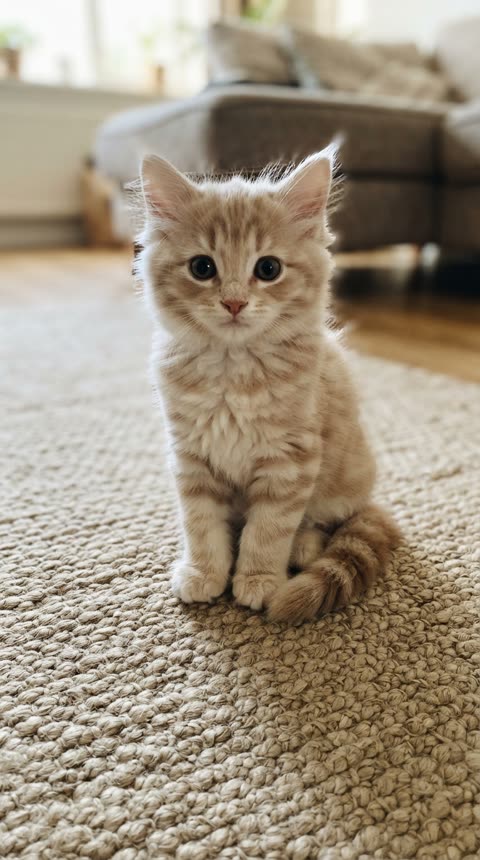
Uma foto · Impassível no vento · Foto 1 · Pequeno cavaleiro
Foto 1 · Pequeno cavaleiro
Vídeo gerado · Reproduzir com som · Exemplos reais gerados com IA
02

Duas fotos · Revelação gym bro

10 segundos · 720P · Vertical · Feito com este gerador

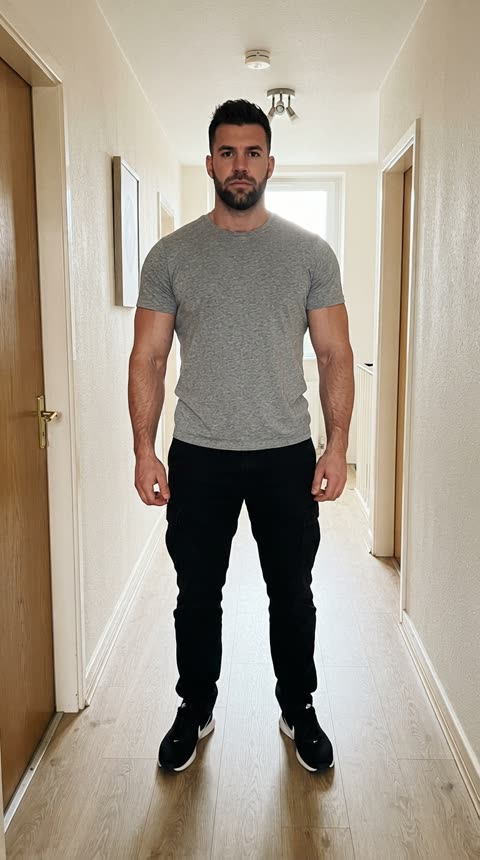
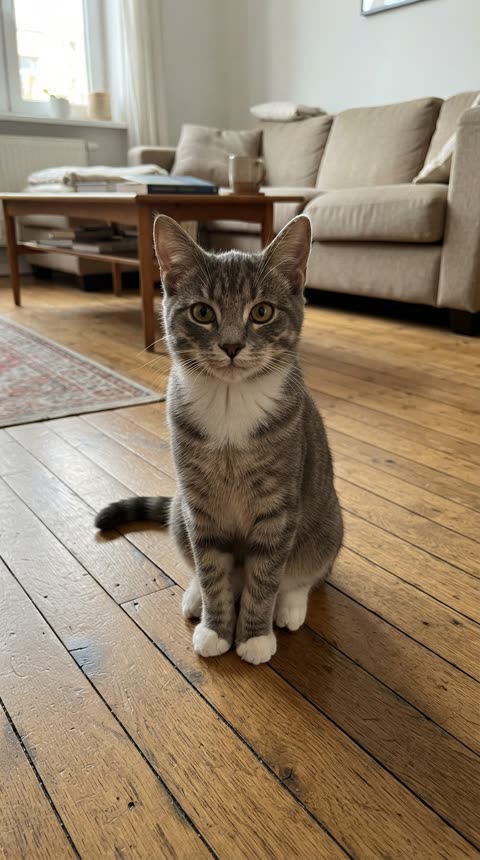
Duas fotos: um gato como pequeno cavaleiro e uma pessoa como gym bro. A câmera se afasta e revela o companheiro gigante com uma espada ainda maior. As fotos de exemplo foram geradas por IA.

Ver este exemplo
Duas fotos · Revelação gym bro · Foto 1 · Pequeno cavaleiro
Foto 1 · Pequeno cavaleiro
Duas fotos · Revelação gym bro · Foto 2 · Gym bro
Foto 2 · Gym bro

Escolha Uma foto para um pequeno cavaleiro sozinho, ou Duas fotos para adicionar um grande protetor. Em Duas fotos, a foto 1 é o cavaleiro e a foto 2 o protetor; as duas são necessárias. Uma pessoa ou animal por foto.

Before you upload

Use one sharp photo with a visible face or muzzle and as much of the body as possible. For a solo cat or dog, choose Single photo. For a pair, Photo 1 is always the little knight. Do not upload a screenshot of the meme as your identity photo.

To add yourself beside your pet, select Two photos. Put your pet in Photo 1 and your portrait in Photo 2. Use one subject per photo; you do not need a picture of the two of you together. Leave the setting at Misty moor for the familiar foggy-field atmosphere.

This tool makes a new video from your photos, not a copy of the original clips. One photo makes the solo knight standing unfazed in the wind; with two, the camera pulls back to reveal your giant companion beside them, holding an even bigger sword. Choose original wind ambience or silence. The original videos and music are not included.

The four things that matter

Photo 1 · Little knight

Use one sharp photo with a visible face or muzzle and as much of the body as possible. For a solo cat or dog, choose Single photo. For a pair, Photo 1 is always the little knight. Do not upload a screenshot of the meme as your identity photo.

Start short, then choose your format

Try 10 seconds to inspect the faces and armor. Choose 480P, 720P or 1080P, and portrait 9:16 or landscape 16:9. Longer or higher-resolution outputs use more credits.

Review the faces and armor

Try 10 seconds to inspect the faces and armor. Choose 480P, 720P or 1080P, and portrait 9:16 or landscape 16:9. Longer or higher-resolution outputs use more credits.

Keep the page open

The render runs on the server and the page streams the progress. Leave the tab open until it finishes.

Knight Cat AI questions

The practical details that decide how the finished video looks.

What photos work best?

Use one sharp photo with a visible face or muzzle and as much of the body as possible. For a solo cat or dog, choose Single photo. For a pair, Photo 1 is always the little knight. Do not upload a screenshot of the meme as your identity photo. To add yourself beside your pet, select Two photos. Put your pet in Photo 1 and your portrait in Photo 2. Use one subject per photo; you do not need a picture of the two of you together. Leave the setting at Misty moor for the familiar foggy-field atmosphere.

Which settings should I pick first?

Choose the performance mode, duration and resolution to see the exact credits before generating. Failed renders are not charged.

How long does a render take?

Most videos are ready in minutes. Longer and higher-resolution videos take longer, so keep the page open while it works.

Why did my video fail?

Renders can fail when a photo has no clear face, when several people share the frame, or when the service is busy. Try a clearer photo, or generate again. Failed renders are never charged.

Does AI replace the clothing with armor?

The generator dresses the little knight in fitted medieval armor and leaves faces visible; a gym bro in Photo 2 keeps their own clothes. It aims to retain recognizable faces, species and fur markings; it does not simply paste a face into the original clip. Hands, paws, sword details and likeness can vary, so check the preview.

What do I do after the render?

Preview and download your video, then share it with #KnightCat or #KnightProtector. Only use photos you have permission to use, and follow the platform’s posting rules.

Ready to try it?

Ambient mode adds our original wind audio. Silent mode has no sound. Both create a new scene from your photos; neither copies a viral video or song.